How to Check Your PHP Version in cPanel Before Updating
Check PHP versions in MultiPHP Manager and PHP Selector without changing settings. Understand Inherited, per-domain versions, and what to ask hosting support.
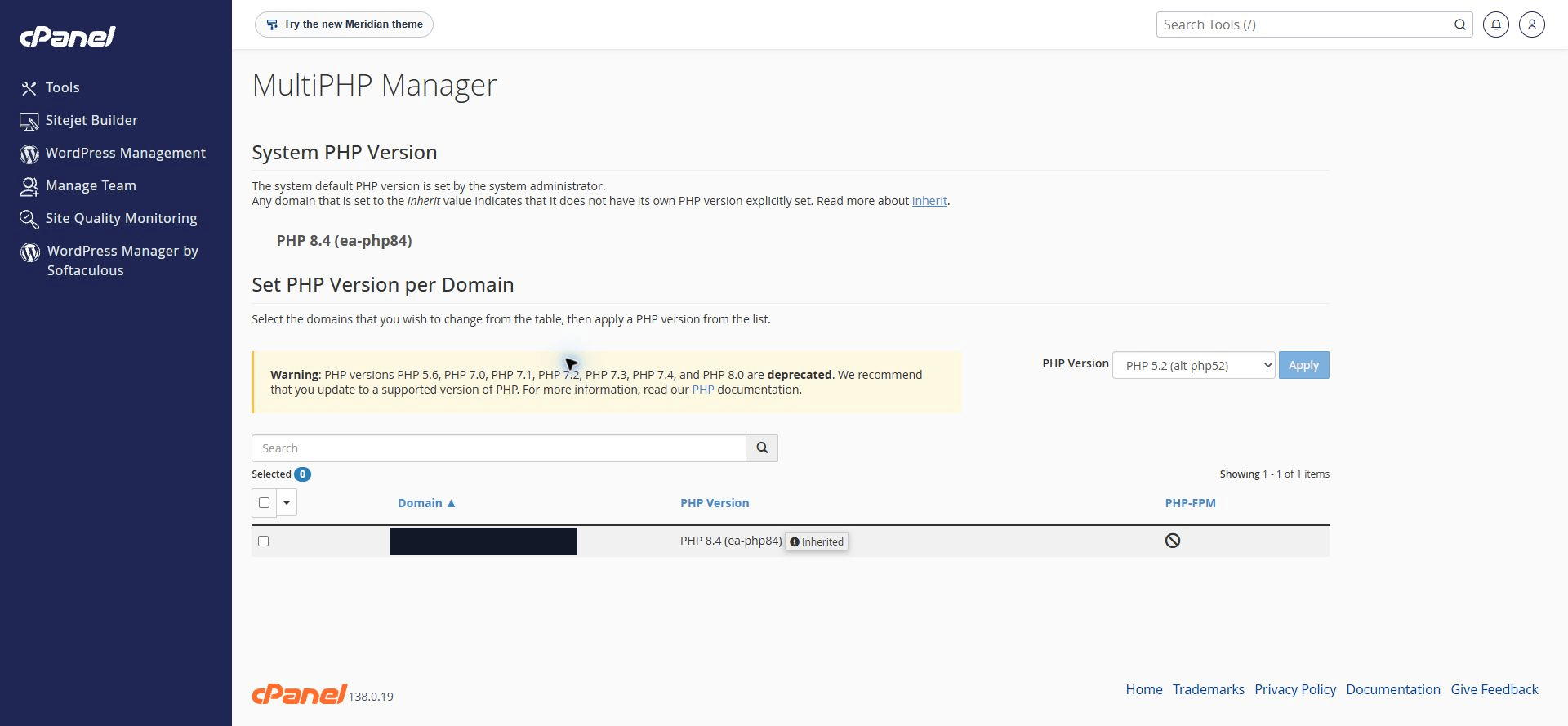
To check your PHP version in cPanel, open MultiPHP Manager and read the PHP Version column on the row for the domain you want to inspect. Hosting that uses CloudLinux may also offer Select PHP Version, or PHP Selector. Checking the version does not require selecting a domain, choosing a new version, or clicking Apply.
This is a useful next step after reading about vulnerabilities such as PHP2Shell. There is one important limit: "PHP 8.4" identifies a release branch. That label alone does not prove that a specific security patch is installed.
The screenshots in this article were captured from a real cPanel account on November 4, 2026. The domain is covered with a solid block. Only read-only pages were opened; no configuration changes were applied.
Find the PHP menu in cPanel
Sign in using the access provided by your hosting company. Type PHP in Search Tools and look for MultiPHP Manager. If Select PHP Version also appears, note it: your host may provide two related version-management interfaces.
If the menu is missing, ask your provider. cPanel's documentation explains that hosting providers can disable this interface. A missing menu does not establish that your website does not use PHP.
Read the version on the domain row
MultiPHP Manager contains two relevant areas:
- System PHP Version: the server default set by its administrator.
- The domain table: the PHP version configuration for each listed domain.
In the cover screenshot, the system version is PHP 8.4 (ea-php84). The domain row also shows PHP 8.4 (ea-php84) with an Inherited label. Read those values first.

On the right, a dropdown happens to display PHP 5.2 (alt-php52). That control chooses a version to apply; it is not a report of the domain's active version. Do not conclude that the site runs PHP 5.2 from that dropdown. No domain is selected in the screenshot, and Apply has not been used.
The yellow warning also lists old versions. Versions available or marked deprecated on the server are not necessarily running on your website.
What does Inherited mean?
Inherited means the version is determined through configuration inheritance. According to cPanel's explanation of PHP inheritance, Apache looks for version information in .htaccess files in the directory structure; if it finds none, it uses the system default.
Checking System PHP Version alone is therefore insufficient. Inspect the right domain, including subdomains or applications in other directories where relevant. If the information is unclear, ask your host to confirm the runtime actually serving web requests.
If Select PHP Version is available
On this example account, it opens PHP Selector. Account PHP Settings shows native (8.4) (current).
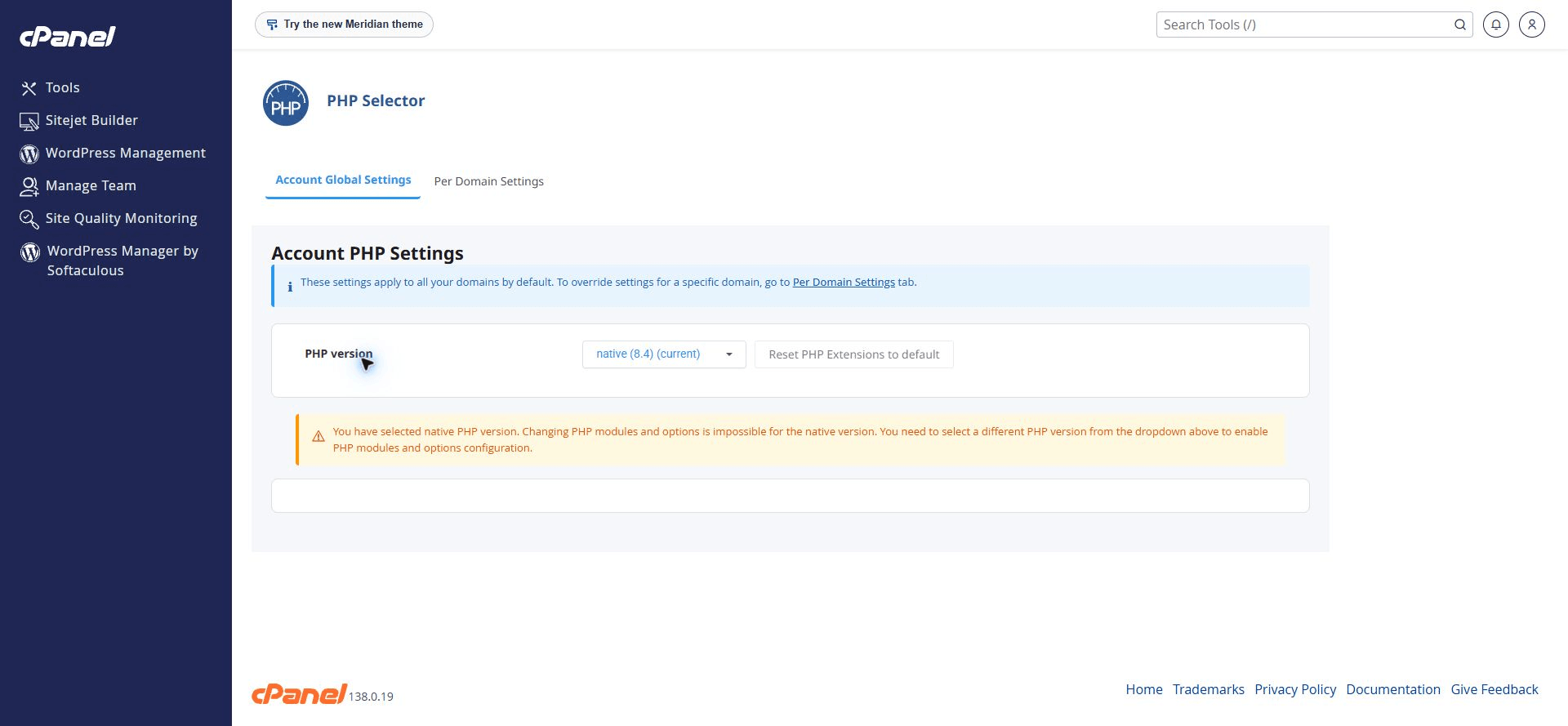
MultiPHP Manager and PHP Selector can interact on CloudLinux hosting. A cPanel support note explains that inherit or system-default configurations can involve alt-php. If the displays differ or you are unsure which applies, do not experiment by changing both. Ask your provider to check the handler and effective version for the domain.
PHP 8.4 does not establish that a particular patch is installed
There is a difference between 8.4 and a full version such as 8.4.x. The final number identifies a release within that branch. Hosting vendors may also supply security fixes through vendor packages or backports, so comparing an upstream version number may not complete the check.
For a specific vulnerability, ask for the full version, package, and confirmation that the fix is installed. Do not treat this article's example screenshots as evidence that a particular server is secure or vulnerable to PHP2Shell.
You do not need to upload a public phpinfo() page to follow this tutorial. Your provider can help inspect the runtime and package version without adding a diagnostic page others can read.
Before changing versions, check these things
- Identify the application using PHP. WordPress, Laravel, and CodeIgniter have their own requirements and compatibility considerations. A Node.js website does not use the PHP setting in the same way.
- Check application and extension support. Themes, plugins, libraries, and required PHP extensions must be available and compatible with the target version.
- Prepare file and database backups. Confirm how to restore them, rather than relying on a backup filename.
- Test on staging where available. Check important pages, login, forms, uploads, and payments if the site supports them.
- Agree on timing and rollback. Decide who will inspect error logs and handle failures after the change.
Use PHP's official supported-versions list to check which branches are maintained. Choose a supported version compatible with your application and confirm that vendor security patches are installed. The largest number in a dropdown is only one consideration.
A message you can send to your hosting provider
If you own the website and do not want to guess at server configuration, ask specific questions:
Hello, I would like to inspect my website's PHP configuration before planning
an update.

Please confirm:
1. The full PHP version serving web requests for my domain.
2. Its handler/package, including whether it uses ea-php, alt-php, or native.
3. Whether the configuration is inherited and where it is inherited from.
4. Whether the patch for the PHP vulnerability I am checking is installed.
5. A compatible target version, required extensions, and staging/rollback options.

For now, please inspect only. Do not change the version or configuration
before I approve a change plan.
Send the domain through your hosting provider's support channel. Before sharing screenshots publicly, redact domain names, usernames, IP addresses, home directories, and panel URLs containing login sessions. Images in this article were cropped or redacted before being added to the website.
If you need help interpreting the findings and planning website improvements, tell me about your website.
All images are cPanel screenshots captured for this article. The domain in the table is covered with a solid block; browser addresses and account details are excluded. No PHP settings were changed during capture.
Is your team still doing something by hand?
Tell me about it, and let's find the fix together.
More notes
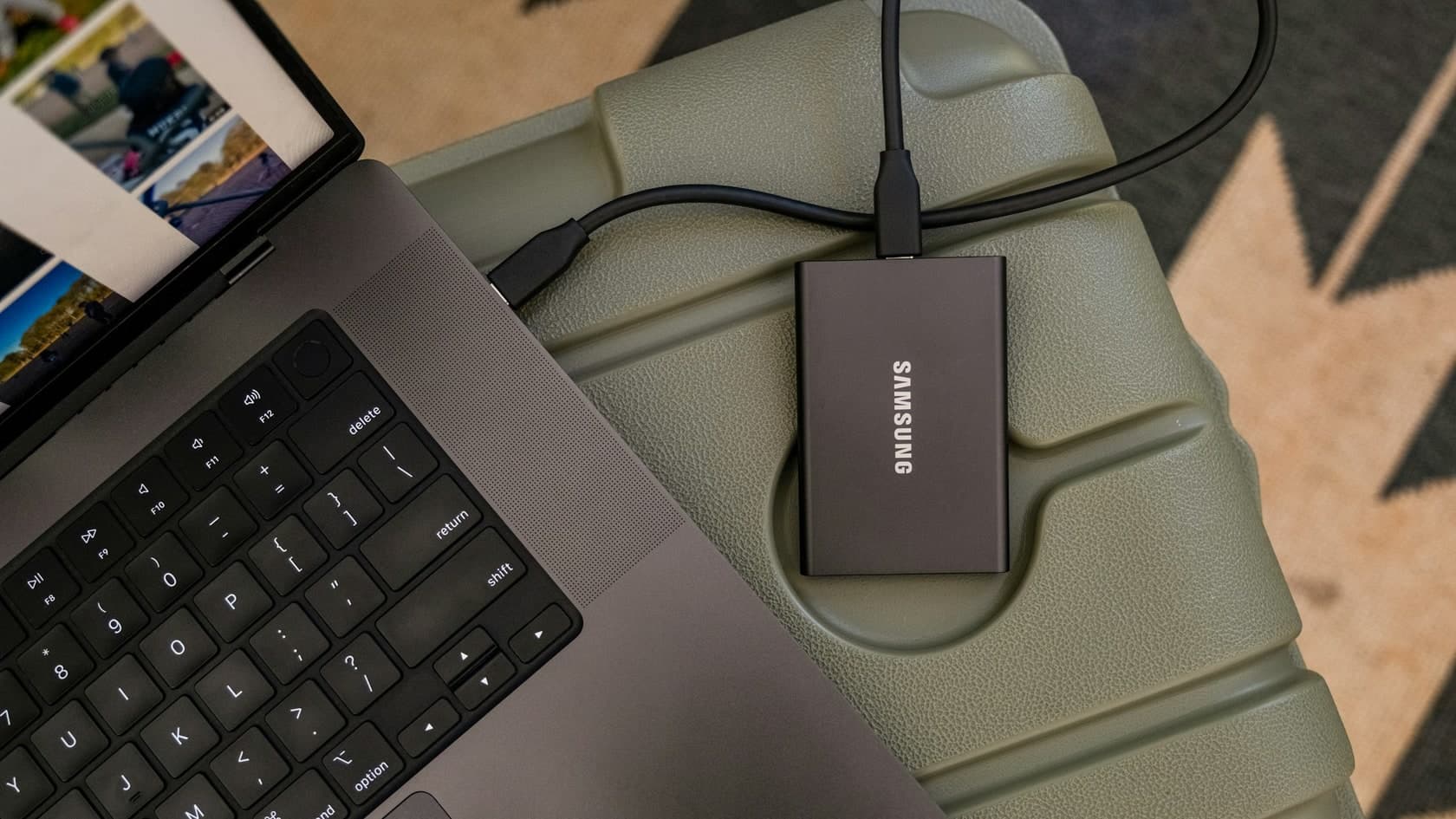
How to Back Up a Website in cPanel Before Updating PHP
Back up website files and databases in cPanel before a PHP update. Understand full and partial backups, off-server copies, and how to plan a website recovery.
Read the note
How to Compare Two Excel Files and Find Changed or Missing Records
Compare two Excel reports by ID to find added, missing, and changed transactions. Includes sample files, practical formulas, and a reconciliation of the totals.
Read the note